



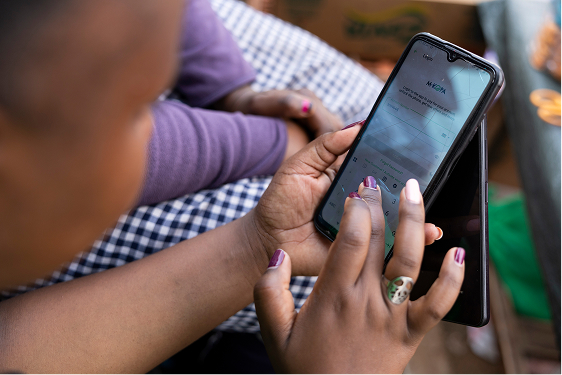
Smartphones are one of the tools that make communication and running businesses easier in this digital age. However, they sometimes get hot and overheat, leading to various problems. Here’s why and how you can manage it..
Why does a phone get hot?
1. Intensive use of heavy applications
Whether they run on Android or iOS, smartphones are like small computers. Their processor can overheat if it is used for highly demanding applications, because heavy apps require a lot of resources to function. Some gaming apps, for example, are known to cause phones to overheat during prolonged use.
If you regularly use your phone to watch videos, doomscroll on social media, or play mobile games, try reducing screen brightness and limiting usage time. These intensive activities put a heavy strain on your phone's processor, which can lead to overheating.
2. Battery-related problems
If the battery is worn or damaged, it can produce heat during phone use or during charging. It is therefore very important to regularly check the condition of your battery and replace it when necessary. In addition, using an unsuitable charger can also lead to overheating problems. So you want to ensure you buy original chargers when there's a need for replacement.
Read this article on “How to Identify Genuine vs Fake Charger Cables”
3. Unfavorable environmental conditions
Prolonged exposure of a smartphone to direct sunlight significantly increases its internal temperature. It is therefore advisable to protect yourself from sunlight during extended use and not to leave or forget your phone outside. Some types of smartphone cases can trap heat. So it is advisable to choose a case that allows airflow instead of an airtight one.
4. Malware
If your smartphone is overheating and the previous causes do not apply, it's possible that malware is present on your device. Malware can run in the background without your knowledge, using a lot of your phone's power. In some cases, this leads to excessive CPU usage (how your phone’s processor is working to run apps and tasks) that generates heat, which can make your phone get hot.
To reduce this risk, make sure your phone is running on the latest security updates. You can also install a reputable antivirus app to scan your device and remove potential threats.
Tips to prevent your smartphone from getting hot
- Limit the use of the device and heavy applications e.g game apps
- Regularly monitor your phone's temperature
- Protect your phone against malware and install the latest security updates
- Check the condition of the battery from time to time and replace when necessary
- Make sure to use a suitable charger for charging
- Avoid exposing the smartphone to direct sunlight and protect it with a ventilated case
These tips are valid whether you use an iPhone or an Android phone. If you notice a significant increase in temperature, it is best to let your phone rest and cool down for a while.
Conclusion
Now that you know why your smartphone is getting hot and overheating, discover and browse our wide range of smartphones. Find your preferred model and choose from innovative and high-performance devices.
Apply the many tips you have learned in this article to optimize the lifespan of your M-KOPA smartphone, while you pay back in installments without pressure.





.svg)


